
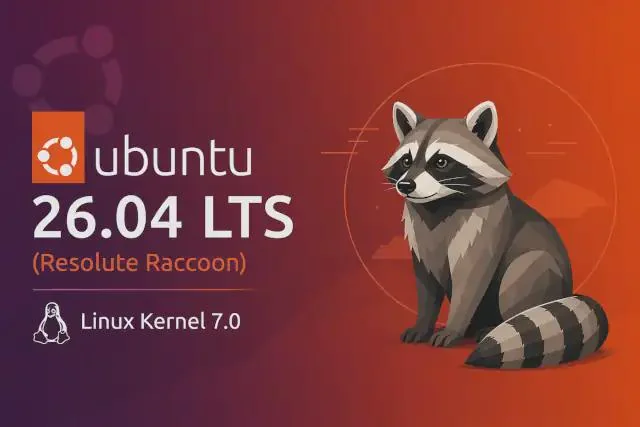
This article will be published soon
Scheduled for: 2026-05-19 14:41
The article will appear automatically when the time arrives — no need to refresh.
A Major Leap, Not a Routine Update
Every two years, Canonical releases a long-term support version of Ubuntu. But Ubuntu 26.04 LTS “Resolute Raccoon” is not just a cosmetic update. It is a fundamental shift in system architecture: full adoption of Wayland, replacement of core system tools with Rust-based versions, and support for TPM-backed full-disk encryption. This release sets the foundation for the next decade of Ubuntu.
🔗 Official Website: ubuntu.com/download/desktop
What Is Ubuntu 26.04 LTS?
Ubuntu 26.04 LTS is a long-term support release published on April 23, 2026, arriving two years after the 24.04 LTS “Noble Numbat”. It receives free support for 5 years until April 2031, and with an Ubuntu Pro subscription, support extends to 10 or 15 years.
The codename “Resolute Raccoon” refers to the raccoon animal. This release carries fundamental changes that make it different from any previous LTS release.
System Requirements and Hardware
Canonical has raised the recommended requirements for a comfortable desktop experience:
| Requirement | Specification |
|---|---|
| Processor | 2 GHz dual-core or better |
| Memory | 6 GB minimum |
| Storage | 25 GB |
| Architecture | x86-64 (with v3 support), ARM64 |
These requirements are not hard limits. Ubuntu 26.04 can run on devices with less memory, but the experience will not be ideal. The 6 GB recommendation stems from the fact that a modern browser with four tabs consumes 4 to 5 GB by itself.
For servers, the requirements are lower: 1.5 GB memory and 4 GB storage.
Linux Kernel 7.0
Ubuntu 26.04 runs on Linux kernel 7.0, a major version number jump from 6.x to 7.0. The numbering change does not necessarily reflect revolutionary changes, but the kernel comes with improved support for modern hardware.
The image below shows the kernel version and hardware information:
Support for Intel Panther Lake Processors
Kernel 7.0 supports Intel Core Ultra Series 3 “Panther Lake” processors, including integrated Intel Xe3 graphics and the built-in NPU for improved local AI workload performance.
RISC-V Support and Confidential Computing Improvements
Full support for the RISC-V RVA23 profile has been added, along with support for confidential computing for both Intel Trust Domain Extensions and AMD SEV.
Desktop Environment: GNOME 50 Only with Wayland
The biggest change in this release is the final elimination of X11 in favor of Wayland. Ubuntu 26.04 does not include a GNOME session running on X11 at all. Wayland is the only option.
The image below shows the new desktop with the Resolute Raccoon wallpaper:
Why X11 Is No Longer Present
X11 is a display protocol over 30 years old. It was developed in an era when screens were small, hardware was slow, and security was not a priority. Wayland comes as a modern replacement:
First, security. In Wayland, each application draws its own window and cannot spy on other applications. In X11, any application can theoretically read keyboard input from other applications.
Second, performance. Wayland removes extra routing layers, reducing tearing and providing smoother window movement.
Third, high-DPI screens and variable refresh rates are better supported in Wayland.
Old X11 applications will not stop working. XWayland translates these applications to Wayland and runs them without issues. For NVIDIA users, modern drivers support Wayland excellently, and this capability was tested in previous releases before this LTS.
New Default Applications
With GNOME 50, four core applications have been replaced:
| Old Application | New Application | Features |
|---|---|---|
| GNOME Terminal | Ptyxis | Container support, session restoration, color palette, GPU acceleration |
| Evince (PDF viewer) | Papers | Partially written in Rust, uses GTK4 and libadwaita |
| Eye of GNOME (image viewer) | Loupe | Written in Rust, uses Glycin library, basic editing |
| Totem (video player) | Showtime | Distraction-free interface |
| System Monitor | Resources | CPU/GPU/NPU tracking, large graphs, written in Rust |
The new Resources application also tracks NPU usage if present on your device.
Performance and Smoothness Improvements
GNOME 50 includes Ubuntu’s triple buffering technology, which makes the interface smoother especially on integrated graphics cards. Core components also consume less memory and CPU.
HDR, VRR, and Fractional Scaling Support
High Dynamic Range support is available for monitors that support it, with a toggle in Settings. Variable Refresh Rate is now enabled for everyone without needing terminal commands.
Fractional scaling is enabled by default and supports values such as 133% and 166% for sharper text.
Digital Wellbeing Mode
Ubuntu 26.04 adds digital wellbeing features: daily computer usage limits, break reminders, and an option to switch the screen to grayscale when reaching the daily limit.
Notification Grouping
In the message tray, notifications are now grouped by the sending application. When an app sends multiple notifications, they stack together into a collapsed group instead of creating an ever-lengthening list. Stacks can be expanded with a single click.
System Tools Written in Rust
Under the hood, a major shift has occurred in the programming language of system tools. Many core components have been rewritten in Rust, a systems programming language that focuses on memory safety and performance.
Why Rust Matters for Security
For decades, system tools were written in C. C is very fast, but it has a serious weakness. The programmer is responsible for manual memory management. This leads to errors such as use-after-free or memory leaks.
Rust solves this problem through the concepts of ownership and borrowing. The compiler checks the code before running it and ensures there are no memory management errors. This way, Rust prevents an entire class of security vulnerabilities that have plagued C programs for decades.
Which Tools Have Changed?
In Ubuntu 26.04, the following commands have been replaced with Rust versions:
sudo became sudo-rs. The command itself has not changed, and the /etc/sudoers configuration file works as before. However, password feedback is now enabled by default. When typing the password in the terminal, you see asterisks instead of no feedback.
The basic commands ls, cat, cp, mv, and rm are now from the rust-coreutils package. In community tests, the performance of these commands is identical or slightly better than the originals.
Dracut: The New Boot Init System
One of the quiet but technically important changes is the switch from initramfs-tools to Dracut. The initramfs is a temporary filesystem loaded into memory during computer startup. Its job is to prepare disks and encrypted storage before handing control to the real system.
The image below shows the boot system layers in Ubuntu 26.04:
The initramfs-tools tool was a collection of Bash scripts written in the early 2000s. Over time, problems emerged with support for modern hardware such as NVMe over Fabrics and peripheral devices like Bluetooth keyboards when unlocking encryption. Dracut is a modern replacement, written in a more secure and maintainable way, and integrates better with systemd.
The average user will not notice any difference in the boot process, but the system has become more reliable in advanced scenarios.
TPM-Backed Full Disk Encryption
On new installations, full disk encryption backed by TPM 2.0 can be enabled.
TPM is a chip present on most modern computers from 2016 onwards. Its function is to store encryption keys securely in a way that cannot be extracted even if an attacker has physical access to the device.
In Ubuntu 26.04, instead of entering a long passphrase every time you turn on the computer, encryption is unlocked automatically via TPM. This combines strong security with ease of use. A recovery key is generated during installation and must be kept in a safe place. If an issue occurs with the TPM or hardware changes, this key can be used to unlock the drive.
This feature requires Secure Boot enabled and is compatible with a specific set of TPM 2.0 chips.
AI/ML Packages Integrated into Repositories
For the first time, Canonical has added NVIDIA CUDA and AMD ROCm packages to the official Ubuntu repositories. This means developers can install these tools using regular apt, without needing to track down third-party packages or deal with complex dependency conflicts.
For data scientists, this greatly simplifies setting up machine learning and high-performance computing development environments.
Summary of Major Applications and Updates
| Component | Version in 24.04 | Version in 26.04 |
|---|---|---|
| Kernel | Linux 6.8 | Linux 7.0 |
| GNOME | 46 | 50 |
| Firefox | version 124 (snap) | version 150 (snap) |
| LibreOffice | 24.2 | 26.2 |
| Thunderbird | version 115 (snap) | version 140 (snap) |
| GIMP | 2.10.36 | 3.2.2 |
| Mesa | 24.0.3 | 26.0.3 |
| Python | 3.12 | 3.14 |
| GCC | 13.2 | 15.2 |
| Rust | 1.75 | 1.93 |
| Go | 1.22 | 1.25 |
Additionally, PostgreSQL has been updated to version 18, PHP to 8.5, and Docker to 29.
Applications No Longer Included
The following applications are no longer included in new installations:
- Software & Updates – no longer present by default, but can be installed from repositories
- GNOME Terminal – replaced by Ptyxis
- Totem – replaced by Showtime
- Evince – replaced by Papers
- Eye of GNOME – replaced by Loupe
- System Monitor – replaced by Resources
If you upgrade from a previous release, these old applications may remain installed alongside the new ones, and you can remove them manually if desired.
ARM64 Architecture Support
For the first time, there is an official desktop ISO image for ARM64 architecture, targeting devices with Snapdragon X Elite processors (Windows on ARM devices) and virtual machines.
Flavors
For users who prefer other desktop environments, the main flavors such as Kubuntu, Xubuntu, Lubuntu, Ubuntu MATE, Ubuntu Budgie, Ubuntu Cinnamon, and Ubuntu Unity will also release their corresponding 26.04 LTS versions in the coming days.
Quick Comparison with 24.04 LTS
| Feature | Ubuntu 24.04 LTS | Ubuntu 26.04 LTS |
|---|---|---|
| X11 | Supported as option | Not supported (Wayland only) |
| sudo | Traditional GNU sudo | sudo-rs (Rust) |
| Coreutils | GNU coreutils | rust-coreutils |
| Initramfs system | initramfs-tools | Dracut |
| TPM encryption | Not supported | Officially supported |
| CUDA/ROCm | Manual installation | In repositories |
| Video player | Totem | Showtime |
| Document viewer | Evince | Papers |
| Image viewer | Eye of GNOME | Loupe |
| Terminal | GNOME Terminal | Ptyxis |
| System monitor | System Monitor | Resources |
| Recommended memory | 4 GB | 6 GB |
Upgrade and Download
Ubuntu 26.04 LTS can be downloaded from the official website for both Intel/AMD 64-bit and ARM64 architectures.
For users coming from Ubuntu 24.04 LTS, the upgrade is available through the normal update tool. A popup notification is expected to appear for users in the coming weeks.
For users coming from releases older than 24.04 LTS, such as 22.04 LTS, you must upgrade to 24.04 LTS first, then to 26.04 LTS.
For a clean installation, download the ISO and burn it to USB using Raspberry Pi Imager or Balena Etcher.
Summary
Ubuntu 26.04 LTS “Resolute Raccoon” is a bold release. Canonical did not just add new icons and bump version numbers. They made fundamental changes to the system foundations: replacing decade-old tools with safer languages, finalizing the transition to Wayland, adding modern TPM-based encryption, and including AI tools in the official repositories.
This release is not aimed only at those who love stability. It is aimed at those who want a system that meets the hardware and security requirements of 2026 and beyond.
If you are coming from 24.04 LTS, prepare to welcome a very different system under the same name.
Quick Links
https://ubuntu.com/download/desktop
https://ubuntu.com/download/alternative-downloads


Reactions & Comments
Sign in with GitHub to leave a comment or react. Powered by Giscus (stored in GitHub Discussions)