This article will be published soon
Scheduled for: 2026-08-22 08:28
The article will appear automatically when the time arrives — no need to refresh.
A Revolution in Teaching Kids to Code
Who hasn’t dreamed of creating their own video game or designing a vibrant interactive story? This dream has become a tangible reality for millions of children around the world thanks to the Scratch platform. It is not just a programming language; it is a complete educational environment developed by the MIT Media Lab, and it has revolutionized the way programming and digital skills are taught to new generations.
The genius of Scratch lies in its ability to abstract the complexities of traditional text-based coding languages. Instead of writing complex syntax, users snap together colorful blocks, similar to LEGO pieces, to build their programs. This visual and intuitive approach makes learning the fundamentals of programming fun and accessible, even for young children who may not yet be fluent readers or writers.
🔗 Official Website: scratch.mit.edu
What is Scratch?
Scratch is a visual, block-based programming language designed specifically as an educational tool for children and teenagers, typically ranging from ages 8 to 16 [citation:6][citation:8]. It was developed by the Lifelong Kindergarten group at the MIT Media Lab and is available free of charge to everyone [citation:1][citation:9].
Its Core Features
- The Colorful Block Interface: Learners are shielded from syntax errors, as the blocks are designed to snap together only if the combination is logically sound.
- Interactivity and Immediacy: Users see the results of their code changes instantly, encouraging experimentation and exploration.
- A Huge Community: The Scratch online platform provides a space for sharing projects, viewing others’ creations, and learning from them, which is a key factor in its success [citation:2].
- Free and Open Source: Scratch is available at no cost and is licensed under open source licenses, encouraging modification and redistribution [citation:3][citation:7][citation:11].
What Can You Create with Scratch?
The creative possibilities with Scratch are nearly limitless. Users can create a wide variety of interactive projects, including:
- Video Games: From simple platformers to puzzle and adventure games.
- Interactive Stories: Stories where the narrative branches based on the reader’s choices.
- Animations: Bringing characters to life and creating dynamic presentations.
- Scientific Simulations: Modeling natural or physical phenomena.
- Art and Music: Programs that draw artistic shapes or play musical compositions.
Scratch in Education
Scratch is widely used in classrooms around the globe, not only to teach computer science but as a tool to foster creative thinking, problem-solving, and collaboration [citation:2][citation:4]. The platform provides a rich set of resources for educators, including lesson plans, activity cards, and guides, making it easy to integrate coding into various subjects like math, science, and the arts [citation:4].
How to Get Started
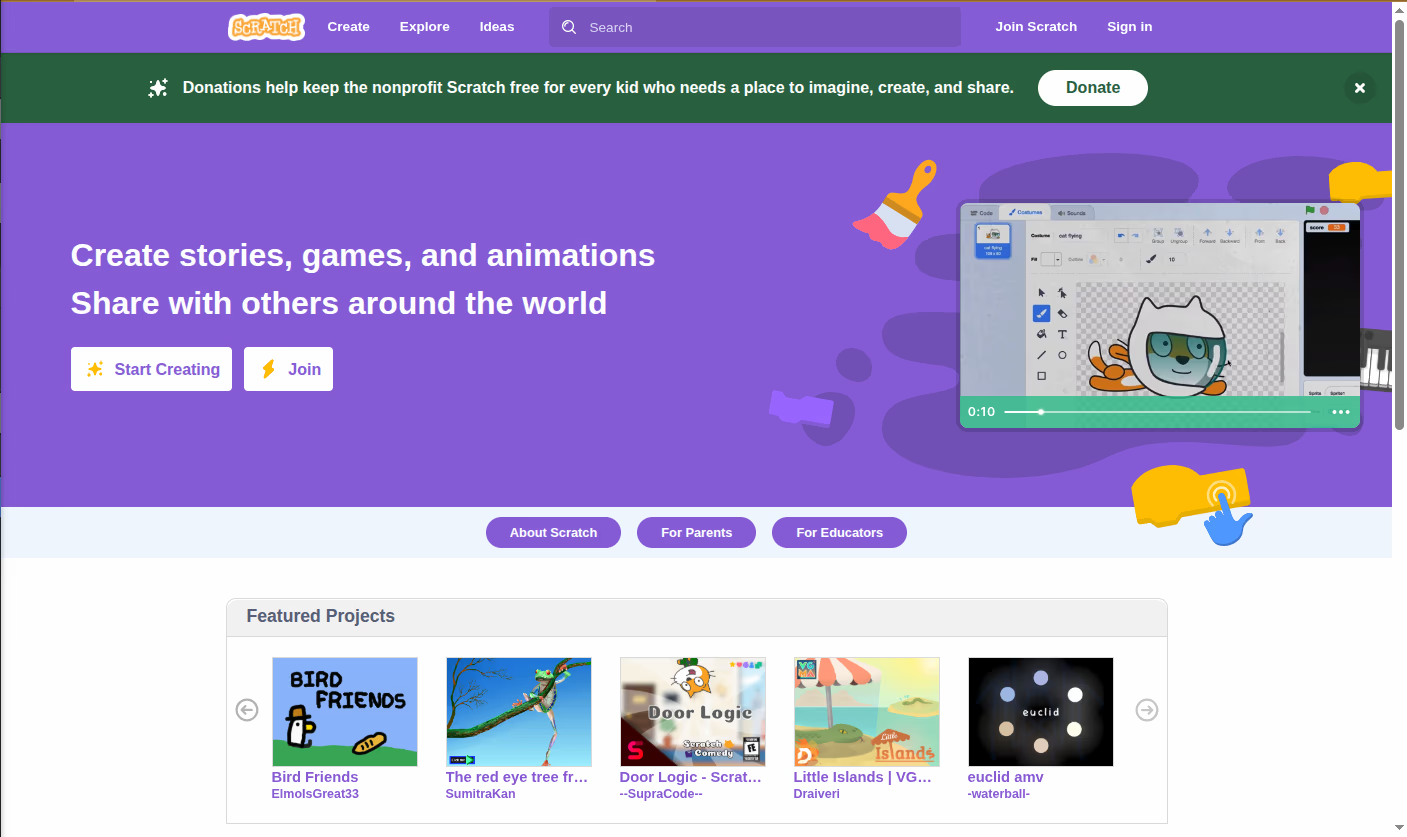
- Visit the Website: Open scratch.mit.edu [citation:5].
- Account or Try It: You can start immediately by clicking “Create” without an account. However, creating a free account allows you to save your projects to the cloud and share them with the community.
- Explore: Watch video tutorials, browse others’ projects, or follow the activity cards available on the site.
- Versions: Scratch is available as a web app (the latest version) and as a downloadable Offline Editor for Windows, macOS, Chrome OS, and Android.
Summary
Scratch is more than just a programming language; it is a gateway to a world of creativity, logic, and future-ready skills. Thanks to its simple and engaging design, it has successfully removed the barriers to learning programming, making it an indispensable tool for educators, parents, and ambitious young learners worldwide.
Quick Links
https://scratch.mit.edu/download
Published in the Free and Open Source Software section – Education and Learning


Reactions & Comments
Sign in with GitHub to leave a comment or react. Powered by Giscus (stored in GitHub Discussions)